The free Tasbeeh Counter app gives you a dedicated place to count dhikr, set targets, and keep session progress on your phone. To get it safely, start at the official Tasbeeh Counter website and follow the current download option for your device.
This guide is for Muslims in India, Pakistan, Bangladesh, the UK, and elsewhere who want a free digital counter without buying a ring counter or misbaha. It covers the tasbeeh counter app download process, the included features, offline personal counting, and first-time setup. Whether you search for tasbeeh, tasbih, dhikr, or zikr, you can use the same app to keep an accurate tally while you recite.
Quick answer: Download only through tasbeehcounter.app or the official store page it links to. Install the app, create a named counter, choose a target if the dhikr has an established count, and tap once after each recitation.
Contents
- [What is the free app?](#what-is-the-free-tasbeeh-counter-app)
- [How do you download it safely?](#how-do-you-download-the-tasbeeh-counter-app-safely)
- [Which features are included?](#which-features-are-included-in-the-free-app)
- [Does it work without internet?](#does-the-free-tasbih-counter-work-without-internet)
- [How do you set up a counter?](#how-do-you-set-up-your-first-dhikr-counter)
- [Browser or app?](#browser-counter-or-downloaded-app-which-should-you-use)
- [Download](#download-the-free-tasbeeh-counter)
- [FAQ](#frequently-asked-questions)
What is the free Tasbeeh Counter app?
The free Tasbeeh Counter app is a digital counting aid for recording tasbih, dhikr, zikr, and other repeated recitations on your phone. Instead of keeping the total in your head, you create a counter and tap once after saying the complete phrase. The app can display your progress toward a chosen target, record completed rounds, and keep named sessions organised. It also offers controls for sound, vibration, themes, and reminders, so you can make the counting screen quieter or more visible according to your needs. The app does not recite on your behalf, determine whether a phrase is authentic, or turn a voluntary number into a prescribed act. Its job is only to keep count. This distinction matters because remembrance is worship, while the phone is a tool. Allah commands believers to remember Him often and glorify Him morning and evening (Quran 33:41–42); an app can help with the tally while you remain responsible for intention and attention.
The two spellings tasbeeh counter and tasbih counter refer to the same kind of app. Pakistani and Indian users may search more often with “tasbeeh,” while other users prefer “tasbih.” Dhikr and zikr are likewise common transliterations of the Arabic word for remembrance.
How do you download the Tasbeeh Counter app safely?
Download the Tasbeeh Counter app by visiting tasbeehcounter.app and selecting the official download option shown for your device. Starting from the product website helps you avoid copied listings, modified APK files, and misleading advertisements that use a similar name. On Android, follow the current Android or store link presented by the site; on an iPhone or iPad, use the current iOS option if it is offered. Review the app name and publisher details on the destination page before installing. Do not disable phone security or grant unrelated permissions just because a third-party page tells you to. Availability can differ by device, operating-system version, country, and release stage, so the official website is the reliable place to see the options available now. If a native download is not shown for your device, use the online counter in your browser instead of installing a file from an unknown source.
Safe installation takes only a few checks:
- Open tasbeehcounter.app yourself.
- Choose the official option displayed for your phone.
- Confirm the app name and publisher on the destination page.
- Read the permissions and install through the offered channel.
- Open the app and create a test counter before adding your routine.
Never treat “premium unlocked,” “mod,” or an unofficial APK as the normal free version. Such files can be altered and may not receive safe updates.
Which features are included in the free app?
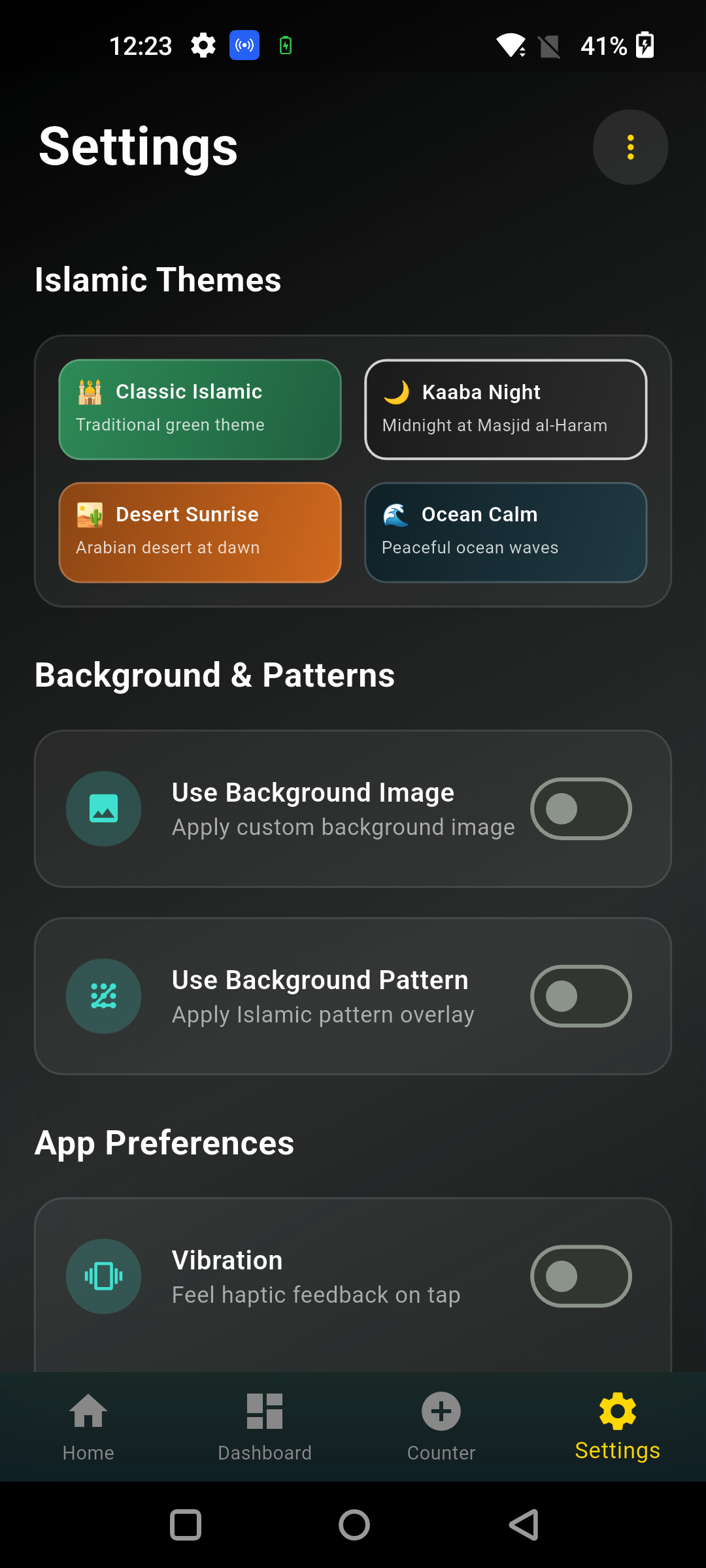
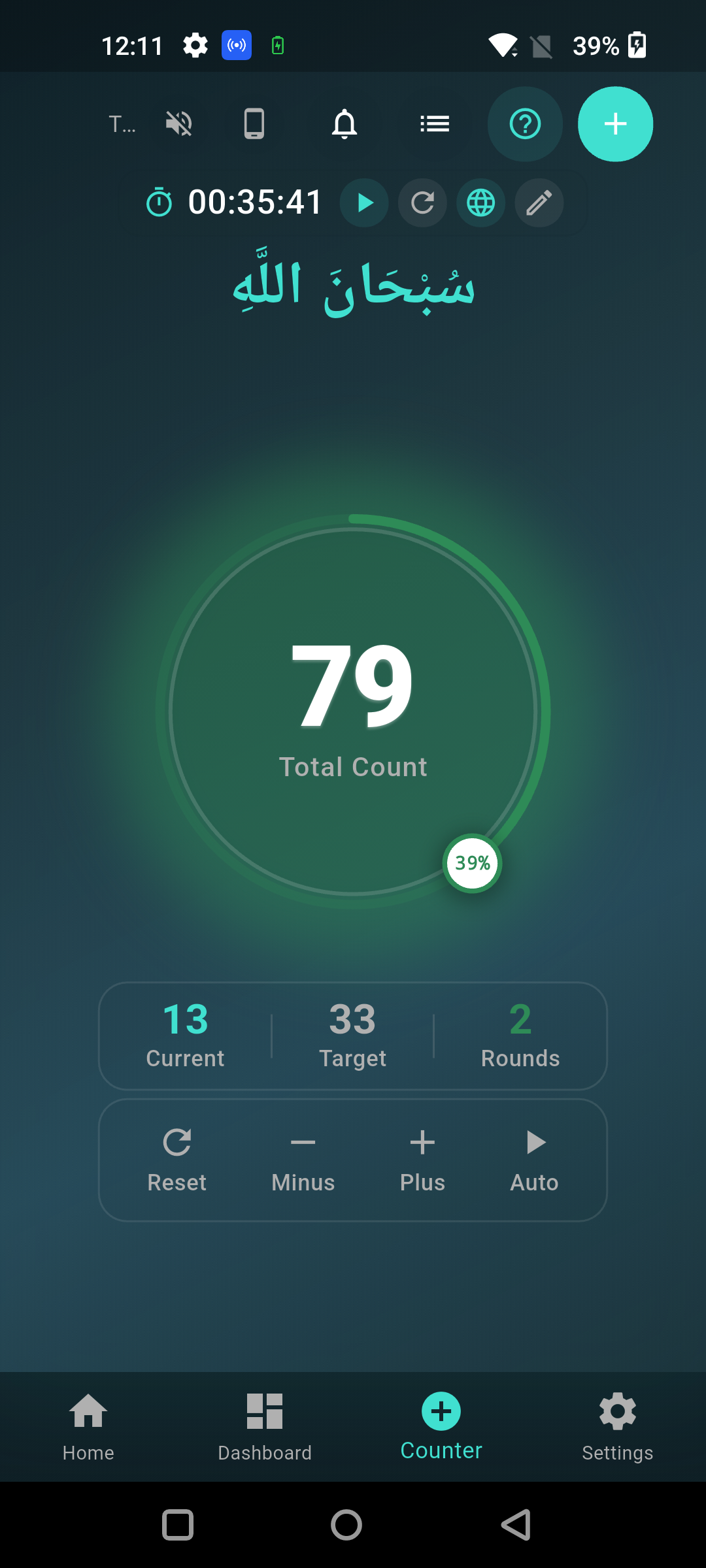
The free app includes the tools needed to create counters, set targets, count rounds, review sessions, and adjust the counting experience. You can give each counter a clear name, display Arabic or English dhikr text where available, and choose a standard or custom target. Tap feedback can use sound and vibration, and both can be adjusted when you want a silent session. Themes help with readability in different settings. The app also includes a dhikr library, session history, progress views, timers, and configurable reminders. Urdu interface support is useful for many people in Pakistan, India, and the UK, while other available languages serve a wider audience. Features may develop as the app is updated, so use the current in-app menus as the final reference. A large feature list should not make worship feel complicated: begin with one counter and enable only the options that genuinely help you concentrate.
| Feature | What it helps you do |
|---|---|
| Named counters | Keep different adhkar separate |
| Targets and rounds | Follow a known count without mental tallying |
| Plus, minus, and reset | Count, correct a mistake, or begin again |
| Session history | Review previous personal counting sessions |
| Sound and haptics | Confirm a tap without watching every number |
| Themes and text settings | Improve readability and reduce visual strain |
| Timers and reminders | Plan a regular time for remembrance |
| Dhikr library | Find available phrases and templates in one place |
For a closer look at selection criteria, read best tasbeeh counter app features for 2026.
Does the free tasbih counter work without internet?
The free tasbih counter can handle personal counting and locally saved sessions without a continuous internet connection. Once the app is installed, its core counter and on-device session data are designed to remain useful when mobile data is weak or unavailable. That is helpful during a commute, in a masjid with poor reception, or while travelling between cities. Online or community features, fresh content, links, downloads, and app updates can still require internet access. No app should promise that every feature works offline, so distinguish the local counter from services that communicate with a server. Before a long trip, install and open the app while connected, create a counter, close and reopen it, and confirm that the session appears as expected. If you plan to change phones or clear app data, remember that locally stored information may not automatically move to the new device.
For low-data use, prepare in advance:
- Install or update over trusted Wi-Fi.
- Create the counters you need before leaving.
- Test that the count remains after restarting the app.
- Avoid clearing storage if you want to keep local history.
- Use silent mode when counting in a shared space.
If you cannot install the app, the online tasbeeh counter is a quick no-install alternative whenever you have browser access.
How do you set up your first dhikr counter?
Open the app, create a new counter, name the dhikr, choose a valid target if needed, and save it before you begin tapping. Use a name that tells you exactly what you are reciting, such as “Subhan Allah after salah,” rather than a vague label. Check the Arabic, transliteration, meaning, and source before building a routine around it. When an authentic source gives a number, enter that number as the target; when no fixed count is established, do not present your personal goal as a Sunnah count. Sahih Muslim 597a records one established post-prayer form involving 33 praises, 33 declarations of Allah’s greatness, and 33 glorifications, followed by words of tawhid to complete 100. Authentic narrations also contain other forms. Follow the narration you have learned from a reliable source or ask a knowledgeable scholar when unsure. Then choose quiet feedback, test one tap, reset, and start your actual session.
A simple setup looks like this:
- Tap the option to create a counter.
- Add a short, recognisable name.
- Enter the target only if you want or need one.
- Choose Arabic and English display preferences.
- Set sound and vibration for your surroundings.
- Save, recite once, and tap once.
The detailed tasbeeh counter usage guide explains corrections, rounds, and session habits. Use what to say when counting tasbih to review common phrases and sources.
Browser counter or downloaded app: which should you use?
Use the browser counter for immediate, occasional counting and download the app for regular sessions that benefit from saved names, targets, and history. A browser is convenient on a work computer, borrowed tablet, or phone where you cannot install apps. It opens quickly and avoids using device storage for a full installation. A native app gives you a dedicated space away from unrelated tabs and is better suited to repeat routines, local session records, reminders, display choices, and optional tap feedback. The right choice depends on your device, connection, and concentration. Neither method has spiritual value by itself, and neither replaces fingers or prayer beads. If the phone becomes a source of distraction, silence notifications or put it away. If you regularly forget a physical misbaha, a counter already on your phone may be the more practical tool. Choose the method that supports accurate, calm remembrance in your real daily setting.
| Choose the browser when… | Choose the app when… |
|---|---|
| You want to count immediately | You count regularly |
| You cannot install software | You want named counters and history |
| You are using a temporary device | You need local personal counting offline |
| You need only a simple tally | You want targets, themes, or reminders |
Still deciding between formats? Compare the digital tasbeeh counter app and a physical counter.
Download the free Tasbeeh Counter
A useful dhikr tool should make counting simpler, not pull attention away from the words. Start with one authentic remembrance, one clear counter, and settings that suit your environment. If you later add more routines, name them carefully and review your history as a private aid to consistency, not as a reason for pride or comparison.
Download the free Tasbeeh Counter app from the official website. The page will show the current browser and download choices for your device. There is no need to search unknown APK sites or pay for a basic tally before you begin.
Frequently Asked Questions
Is the Tasbeeh Counter app really free?
Yes, the Tasbeeh Counter is offered as a free way to count dhikr. Begin at the official website to see the current download option. A mobile carrier may charge for data used to download it, and future optional offerings may be described separately on the official page.
Where should I download the tasbeeh counter app?
Start at tasbeehcounter.app and use the official link displayed there. This route helps you avoid copied apps and altered files. Confirm the app name and publisher details before installation, and do not install “mod” or “premium unlocked” files from unknown websites.
Is the app called tasbeeh counter or tasbih counter?
Tasbeeh and tasbih are different English spellings of the same Arabic term. People also search for a dhikr counter or zikr counter. The free app can be used as a tally for remembrance regardless of which transliteration you normally use.
Can I set a custom dhikr target?
Yes. You can create a named counter and choose a standard or custom target. A personal target is an organisational aid. Do not claim that a particular number has special religious merit unless that wording and count are supported by the Quran or authentic Sunnah.
Does deleting the app remove my counts?
Locally stored app information can be removed when an app is uninstalled or its storage is cleared. Before deleting, changing phones, or resetting app data, check the current backup or transfer options available in the app and keep any personal record you need.
The best free tasbeeh counter is the one that remains easy to use and lets you give attention to your dhikr. Get Tasbeeh Counter from the official site, create your first session, and begin with a steady pace.