The best tasbeeh counter app is not simply the one with the most features or the highest claim in a store description. It should count every intentional tap once, protect your total from an accidental reset, work in your normal setting, and keep unnecessary data collection to a minimum.
This guide helps Muslims choose an app for tasbeeh, tasbih, dhikr, or zikr. You will learn how to assess privacy, offline use, themes, feedback, targets, and prayer times. You will also see where the free Tasbeeh Counter app fits—and where a simpler tool may fit better. Allah says that hearts find comfort in His remembrance in Quran 13:28.
Quick checklist: reliable taps, safe reset, no forced account, offline core counting, clear privacy terms, optional sound and vibration, readable themes, custom targets, and prayer features you can disable.
What makes the best tasbeeh counter app in 2026?
The best tasbeeh counter app in 2026 is reliable, private, usable offline, easy to read, and calm enough to keep attention on dhikr. Start with the counter itself: one deliberate tap should add one, the total should survive an interrupted session, and reset should require a clear action. Then examine whether an account is compulsory, what data leaves the phone, and whether counting works without Wi-Fi or mobile data. Useful extras include custom dhikr names, targets such as 33 or 100, completed rounds, history, adjustable haptics, and dark or gentle themes. Prayer times can be convenient, but they should be optional and explain any location permission. A large feature list is not proof of quality. An app that crashes, shows intrusive adverts, or pushes constant rewards can weaken focus. Choose the smallest set of functions that supports your actual routine, whether that is post-salah tasbih, daily istighfar, salawat, or a personal wird.
| Check | Good sign | Warning sign |
|---|---|---|
| Counting | One tap adds exactly one | Missed or duplicate taps |
| Reset | Confirmation or deliberate gesture | Easy one-touch reset |
| Privacy | Plain policy and no forced account | Vague data claims |
| Offline use | Core counter works in airplane mode | Login or connection required |
| Feedback | Sound and vibration can be disabled | Loud feedback cannot be changed |
| Display | Large digits and readable contrast | Decorative but hard to read |
| Prayer times | Optional location and method settings | Unexplained permission request |
For the wider picture, the complete tasbih counter guide compares apps with fingers, beads, ring counters, and clickers.
How private should a tasbeeh app be?
A tasbeeh app should collect no more data than its functions genuinely need, and it should explain every permission in plain language. Basic counting does not require your name, email address, contacts, or a permanent account. Session totals can be stored locally on the phone. Optional prayer-time tools may need approximate or precise location, but the app should say whether that location stays on the device or goes to a server. Notification permission is reasonable for reminders; vibration permission is reasonable for haptic feedback. Neither should be compulsory for tapping a counter. Read the current privacy policy rather than relying only on a store badge or an old review. Check for analytics, advertising identifiers, cloud sync, crash reporting, and third-party sign-in. If the policy and the permission screen disagree, pause before using the app.
Privacy questions to ask
- Can I use the counter without creating an account?
- Are dhikr names, counts, and history kept on my device?
- Does the app contain advertising or behavioural analytics?
- Why does it ask for location, notifications, storage, or vibration?
- Can I delete individual sessions or all local data?
- Does backup or sync send information to a cloud service?
“Stored locally” also has a practical cost: if you uninstall the app, clear its data, or lose the phone, your history may disappear unless a local export or device backup exists. Some users will prefer that privacy trade-off; others may need carefully explained backup.
Should a tasbih counter app work offline?
Yes, a tasbih counter app should perform its core counting and save the current session offline. Dhikr does not wait for a stable connection, and users may count in a masjid, on a flight, during a commute, or where mobile data is costly. Airplane-mode counting also reduces interruptions and gives a simple way to test whether the core tool depends on a server. “Works offline” does not always mean the app makes zero network requests. Update checks, font downloads, backups, adverts, or optional community features may still connect when internet access returns. The useful distinction is whether you can open the counter, add repetitions, see the target, close the app, and recover the session without a connection. Test those actions yourself. If you need no installation at all, an online tasbeeh counter can work in a browser, but it normally needs a connection at least when the page first loads and may save less history than an installed app.
Before relying on an app for a long session, count to 20 offline, close it, reopen it, and confirm that the total remains. Repeat after restarting the phone if saved sessions matter to you.
Which counting features are genuinely useful?
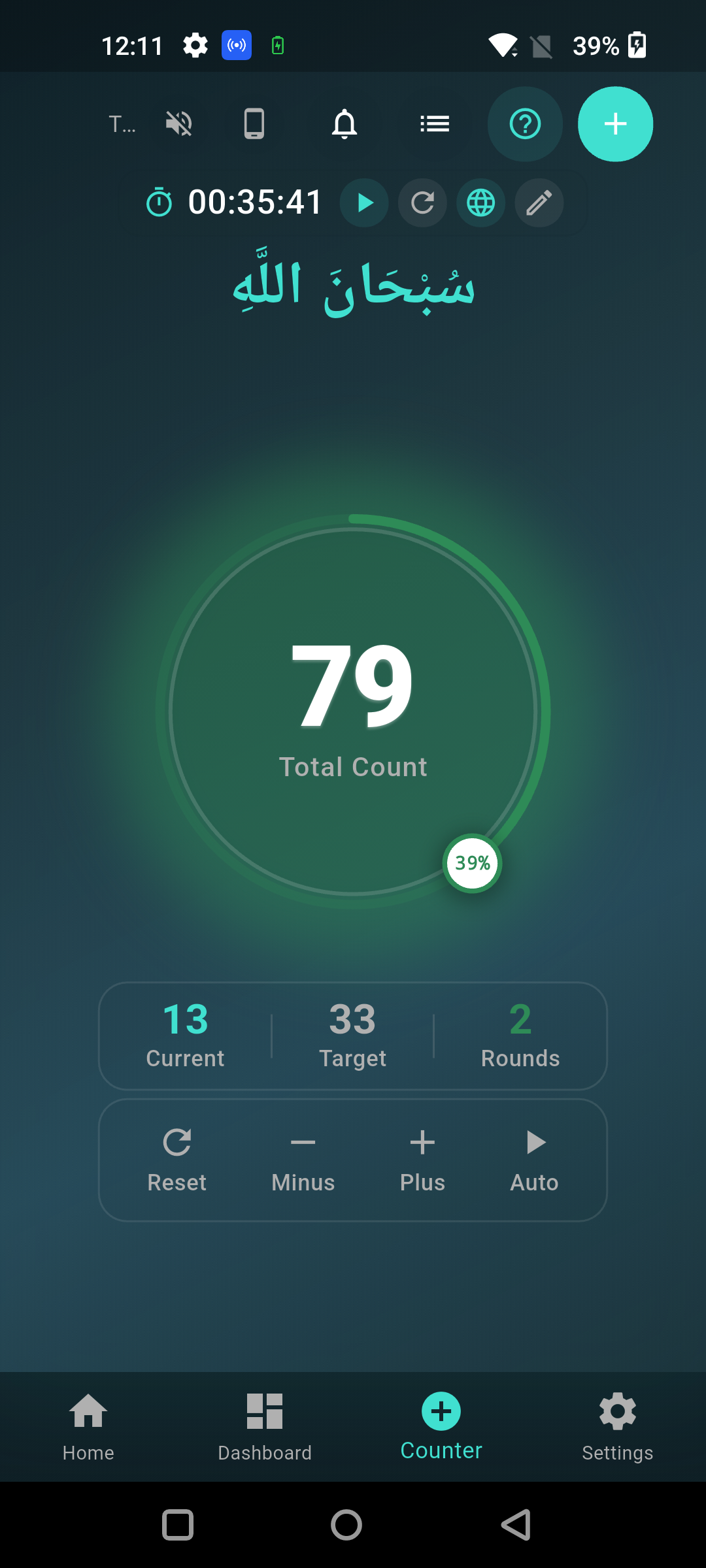
The most useful counting features prevent mistakes and reduce mental effort: custom targets, round tracking, saved sessions, clear progress, and feedback you control. A target of 33, 34, or 100 can suit established formulas, while a custom number can support a personal routine that is not presented as a prescribed count. Round tracking helps when several sets are repeated. A session name prevents confusion between istighfar, salawat, and other adhkar. History can show whether a planned routine was completed, but streaks and badges should remain optional so worship does not feel like a public competition. Haptic feedback is useful when you do not want to keep looking at the screen; sound may help at home but disturb others in a masjid or shared room. Volume-button counting can reduce screen taps, provided it works reliably. Auto-count is less suitable when it advances without each recitation, because the displayed number can separate from the words actually said.
Keep the content of dhikr accurate as well as the count. A well-known post-prayer form is recorded in Sahih Muslim 597a: 33 each of SubhanAllah, Alhamdulillah, and Allahu Akbar, followed by words that complete 100. Our guide to what to say when counting tasbih gives more context. Do not treat every app preset as a religious source; verify formulas independently.
Do themes and prayer times improve a dhikr app?
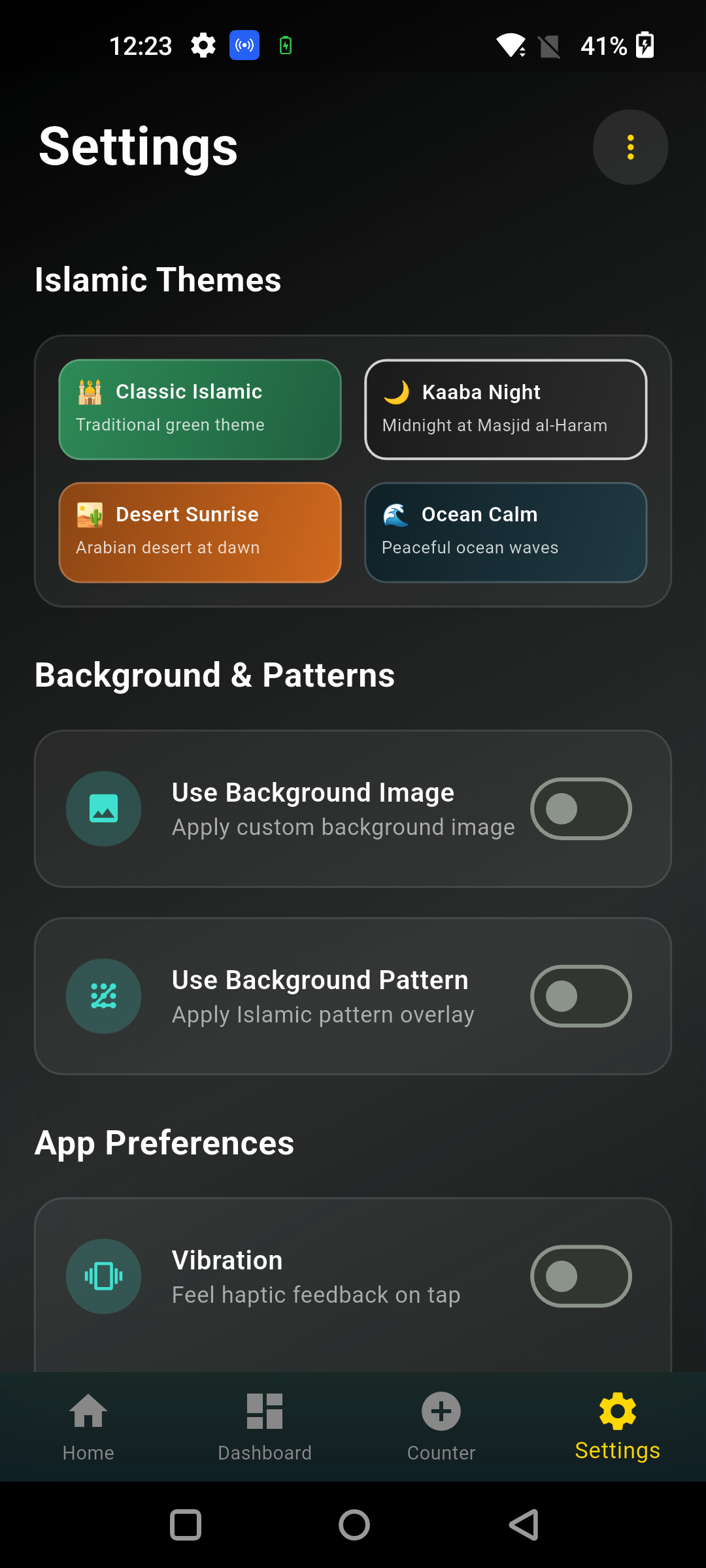
Themes and prayer times improve a dhikr app only when they make it easier to read, remember, and act without adding clutter. A dark theme can reduce glare at night, high contrast helps users with weaker eyesight, and a calm background can make the counter comfortable to open. Yet decorative patterns should never hide the number, reset control, Arabic text, or translation. Prayer times can place daily remembrance beside the rhythm of salah, and optional alerts may help someone who wants one Islamic utility app instead of several. Accuracy depends on location, calculation method, madhhab setting for Asr where offered, and the device clock. Users should compare displayed times with a trusted local masjid timetable, especially during travel or at high latitudes in the UK. Location access should be optional for the counter itself. If you do not want prayer notifications, you should be able to disable them without losing your tasbeeh sessions.
Good customisation should serve access, not novelty. Look for:
- large count digits and strong text contrast;
- light and dark choices;
- Arabic, transliteration, or translation controls where available;
- vibration strength and sound selection;
- notification controls for each reminder type;
- a simple screen that stays usable on a small phone.
Is Tasbeeh Counter the right app for you?
Tasbeeh Counter is a good fit if you want free offline core counting, local session data, custom goals, history, themes, feedback controls, and optional prayer-time tools without creating an account. It supports named dhikr sessions, target and round progress, sound and adjustable haptics, reminders, statistics, and several visual themes. Prayer times are calculated on the device and can use optional location permission. The core counter continues without internet access. The app does make limited connections for functions such as checking a public update manifest and may load online fonts, so it should not be described as a device that never uses the internet. If you want only one button with no screen, settings, prayer features, or history, a physical clicker or your fingers may suit you better. If you want structured sessions on a phone you already carry, Tasbeeh Counter covers the main selection criteria well.
You can download the free Tasbeeh Counter app and test it against the checklist in this guide. For installation help and platform details, see the free tasbeeh counter app download guide.
How can you test a tasbeeh counter app before keeping it?
Test a tasbeeh counter app with one short real session before trusting it with your daily routine. First, deny optional permissions and confirm that basic counting still works. Tap slowly to 20, then quickly to 50, checking for missed or duplicate counts. Put the app in the background, reopen it, and confirm the session remains. Try the reset control and make sure an accidental touch cannot erase the total. Next, enable airplane mode and repeat the count-and-reopen test. Review the privacy policy, disable unwanted sound, vibration, achievements, and notifications, and select a readable theme. If you use prayer times, compare today’s five displayed times with a trusted local timetable and review the calculation settings. Finally, notice your attention: did the phone lead you into messages or other apps? Keep the app only if it makes counting quieter and more dependable. The practical benefits of tasbeeh counting come from a steady, meaningful routine, not from collecting features.
A five-minute app test
- Count 20 slow taps and 30 quick taps.
- Close and reopen the app.
- Repeat in airplane mode.
- Test reset, target, sound, and vibration controls.
- Read the privacy policy and permission reasons.
- Check text size, contrast, and one-handed use.
- Compare any prayer times with your local masjid.
Frequently Asked Questions
What is the best tasbeeh counter app?
The best app is one that counts reliably, saves sessions, works offline, protects privacy, and lets you disable distractions. Tasbeeh Counter is a strong free option for custom goals, local data, themes, history, feedback, and optional prayer times, but a simpler clicker may suit screen-free users better.
Is Tasbeeh Counter free?
Yes, Tasbeeh Counter is available as a free dhikr counting app through its official website. Check the current store listing for platform availability and future changes. Use the official link rather than an unknown APK mirror.
Can I use a tasbeeh app without an account?
Yes, some apps allow it. Tasbeeh Counter does not require registration or login for its counter. This reduces the personal information needed to begin. Always read the latest privacy policy because account, analytics, backup, and advertising practices differ between apps and can change.
Does Tasbeeh Counter include prayer times?
Yes. The app offers optional prayer-time calculation and reminders. Location can be used locally to calculate accurate times, and the counter can still function if you deny that permission. Compare the calculation settings and displayed times with a trusted local timetable before relying on alerts.
Are tasbeeh and tasbih counter apps different?
Usually not. Tasbeeh and tasbih are alternative English spellings of the same Arabic-derived word. An app may choose either spelling in its name or store keywords. Dhikr and zikr are also common spelling variants, so compare the actual functions rather than the label.