To use a tasbeeh counter, pick your dhikr phrase (like SubhanAllah), set a target count such as 33 or 99, then tap the button or move a bead once for every repetition until you reach your target. Whether you're using a free tasbeeh counter app, a small handheld electronic device, or a traditional string of prayer beads, the mechanism is the same: one physical action equals one count, so your mind stays on the meaning of the words instead of counting in your head.
This guide covers all three methods — app, physical device, and finger counting — plus what to say and how to avoid the most common mistakes people make when they start using a tasbih or tasbeeh counter.
How to use a tasbeeh counter app step by step
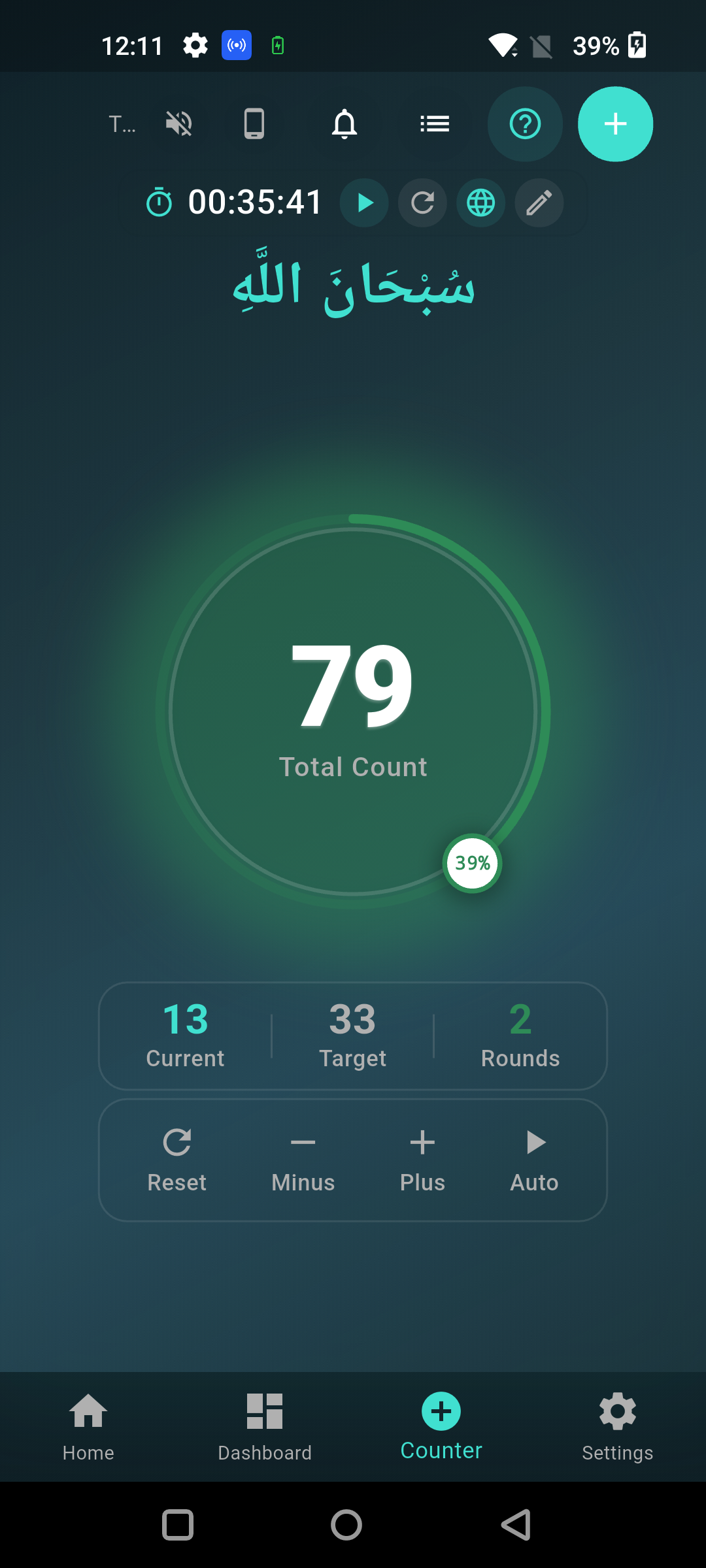
To use a tasbeeh counter app, download it, choose or add your dhikr phrase, set your target count, and tap the screen (or use your phone's volume buttons) once per repetition until the app alerts you at the target. Most apps like Tasbeeh Counter are built so you can start counting within seconds of opening the app, with no account or setup required.
Here's the typical flow:
- Open the app and pick a dhikr preset — common ones include SubhanAllah, Alhamdulillah, Allahu Akbar, La ilaha illallah, istighfar, and salawat. Tasbeeh Counter comes with these built in, plus the option to add a custom phrase.
- Set your target count — 33 is standard after each prayer, 99 or 100 for longer sessions, or set any custom number for a personal wird.
- Tap the counter or use volume buttons — each tap or button press adds one to your count. Volume-button counting is useful when you want to count with your phone in your pocket without looking at the screen, such as while walking or commuting.
- Feel or hear the alert at your target — a vibration or sound tells you when you've hit 33, 99, or your custom goal, so you don't have to watch the number the whole time.
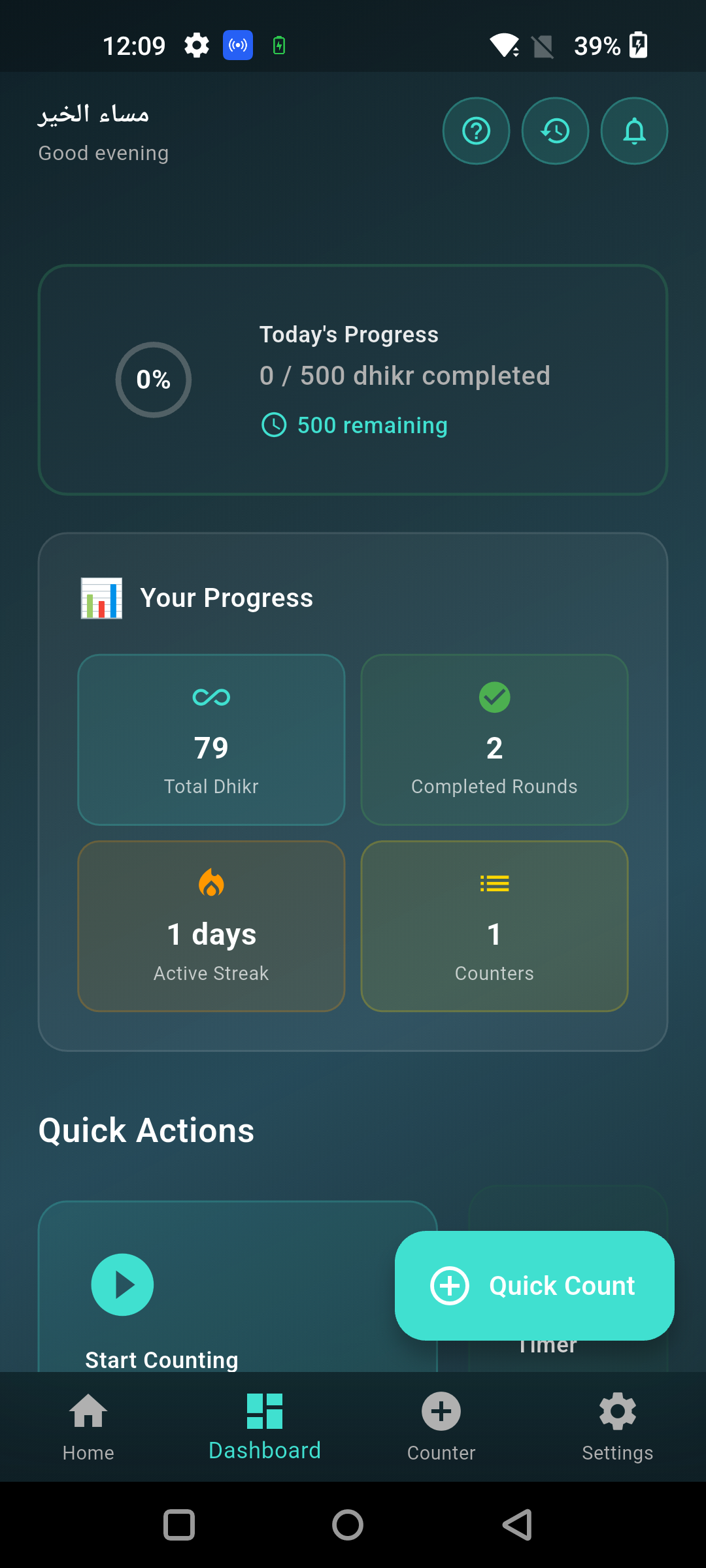
- Check your session and history — after you finish, the app logs your count so you can see daily totals, streaks, and progress over weeks or months, something a physical counter can't do on its own.
How to use a physical/digital handheld tasbeeh counter
To use a handheld digital tasbeeh counter, hold it comfortably in your hand (often on a finger via a ring strap), press the button once per phrase, and press the reset button once you've completed your target count. These small devices usually have a simple LCD screen showing the running total and sometimes a second row for a lap or set counter, letting you track multiple rounds of 33 without resetting to zero each time.
Because these devices are small and battery-powered, a few practical tips help: keep the reset button away from your counting thumb so you don't accidentally clear your count mid-dhikr, check the battery before Ramadan or a long dhikr session, and if the device has a lock feature, use it to avoid accidental taps in your pocket.
How to count tasbeeh on your fingers (traditional method)
To count tasbeeh on your fingers, use the joints of your right hand — there are three joints per finger across four fingers, giving 12 counting points per hand, and you fold or touch each joint in sequence as you repeat your dhikr phrase. This is the method the Prophet ﷺ and his companions used before any beads or devices existed, and it remains the most portable way to count since it needs no tool at all.
There is authentic evidence for finger counting specifically: the Prophet ﷺ told a group of women, "Count [dhikr] on your fingertips, for they will be questioned and made to speak [on the Day of Judgment]" (Sunan Abi Dawud 1502, narrated by Yusayrah bint Yasir). Many people count 33 by going through all three joints of the four fingers (12 per hand) nearly three times, or simply keep a running mental tally across the right hand. If you lose count partway, it's fine to round to your best estimate and continue — the goal is consistent remembrance, not mathematical perfection.
What to say when counting tasbih/tasbeeh
The most common phrases to say when counting tasbih are SubhanAllah (Glory be to Allah), Alhamdulillah (All praise is due to Allah), and Allahu Akbar (Allah is the Greatest), each repeated 33 times after the five daily prayers. This specific combination comes from hadith: the Prophet ﷺ taught his daughter Fatimah (may Allah be pleased with her) to say SubhanAllah 33 times, Alhamdulillah 33 times, and Allahu Akbar 34 times before sleeping (Sahih al-Bukhari 3113, Sahih Muslim 2727).
Beyond this set, other common dhikr to count include La ilaha illallah (there is no god but Allah), istighfar — Astaghfirullah (I seek forgiveness from Allah), and salawat — sending blessings on the Prophet ﷺ. Many people also complete the 33-33-33 set with a closing phrase, La ilaha illallahu wahdahu la sharika lah, lahul-mulku wa lahul-hamd, wa huwa 'ala kulli shay'in Qadeer, to round the total to 100, based on the hadith on this being equal to freeing ten slaves and having sins wiped away (Sahih al-Bukhari 3293, Sahih Muslim 2691).
How to set a target and track your dhikr sessions
To set a target in a tasbeeh counter app, open the counter settings, enter your desired number (such as 33, 99, or 1000 for a larger wird), and the app will alert you automatically once you reach it — no need to watch the number the entire time. This is especially useful for larger counts like istighfar 100 times a day or a 1,000-count salawat goal often assigned during specific occasions like Ramadan or Rabi-ul-Awwal.
Tracking sessions matters because dhikr is often a daily habit, and seeing your streak or weekly total is one of the simplest ways to stay consistent. In Tasbeeh Counter, every completed set is saved automatically, so you can look back at how many days in a row you've completed your dhikr, compare this week to last week, and notice if you're falling behind on a personal goal — all stored privately on your device.
Common mistakes to avoid when using a tasbeeh counter
The most common mistake is losing track of the count by getting distracted mid-dhikr, which a tasbeeh counter app avoids automatically since it holds the number for you until you tap again. Beyond that, a few other habits reduce the value of counting:
- Rushing through the words just to hit the number — the counting tool should support focus on the meaning of the dhikr, not turn it into a race.
- Resetting accidentally — on physical devices, this usually happens when the reset button sits too close to the counting button; on apps, check before tapping "clear session."
- Not setting a target — counting without a goal makes it easy to stop early; even a simple 33 target keeps sessions consistent.
- Ignoring history — the value of digital tracking is seeing your progress over time; check your weekly stats occasionally instead of only looking at today's count.
Start counting your dhikr the easy way
Download the free Tasbeeh Counter app to get built-in dhikr presets, custom targets, volume-button counting, and private session history — everything covered in this guide, ready to use in under a minute. Get it at tasbeehcounter.app.
FAQ
How do I use a tasbeeh counter app for the first time? Open the app, choose a dhikr preset like SubhanAllah or Alhamdulillah, set a target count (33 is standard), and tap the counter once per phrase. Tasbeeh Counter requires no signup, so you can start immediately after installing it.
Can I count tasbeeh using my phone's volume buttons instead of tapping the screen? Yes, most tasbeeh counter apps, including Tasbeeh Counter, support volume-button counting, which lets you count with your phone in your pocket without looking at the screen.
How many times should I say SubhanAllah, Alhamdulillah, and Allahu Akbar? The standard practice from hadith is 33 times each after the five daily prayers, sometimes completed to 100 with an additional closing phrase of tahlil (Sahih al-Bukhari 3293, Sahih Muslim 2691).
Is it okay to count tasbeeh on my fingers instead of using an app or beads? Yes, counting on fingers is the traditional method used by the Prophet ﷺ and his companions, supported by hadith instructing women to count dhikr on their fingertips (Sunan Abi Dawud 1502).
What happens if I lose count while using a tasbeeh counter? If you're using an app or device and lose track, simply check the number on screen and continue from there; if counting on fingers or beads and you genuinely lose your place, round to your best estimate and keep going — consistency matters more than exact precision.
Does Tasbeeh Counter save my dhikr history? Yes, Tasbeeh Counter automatically saves your completed sessions locally on your device, so you can track daily counts, streaks, and progress over time without any account or internet connection required.